Doodle Valentine Elements: Elevating Design with Romantic Dingbats
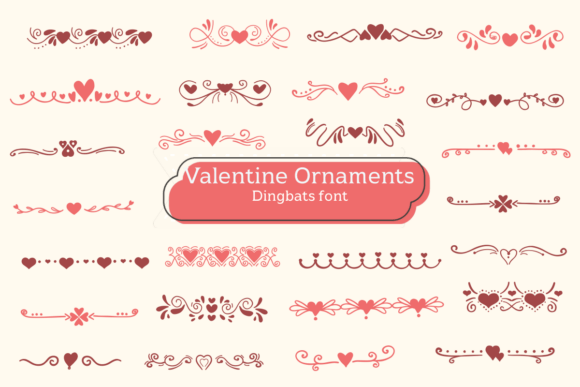
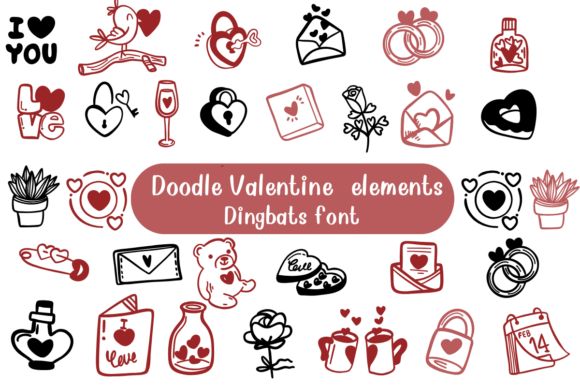
When you are staring at a blank canvas in Illustrator or Canva, trying to design something that feels genuinely affectionate without looking like a generic greeting card aisle, typography often becomes the bottleneck. Standard script fonts can feel overused, and hand-drawn illustrations take hours to perfect. This is where Doodle Valentine Elements fills a specific gap in the creative workflow. It is a romantic dingbats font that functions less like traditional text and more like a modular illustration kit. Instead of typing letters, you are typing visual cues—hearts, florals, ribbons, and whimsical gestures—that carry an immediate emotional weight.
For creators, entrepreneurs, and hobbyists, understanding this tool requires shifting your perspective from "font selection" to "asset integration." You aren't just choosing a typeface; you are accessing a library of cohesive vector-style graphics that share a unified aesthetic. This consistency is what makes Doodle Valentine Elements so practical for projects ranging from small business branding to personal classroom activities. The value lies in its ability to add handcrafted warmth to digital designs instantly, bridging the gap between professional polish and personal touch.
Practical Applications for Small Business Branding
Small business owners and freelancers often struggle to maintain brand consistency across physical and digital touchpoints, especially when operating on a tight budget. Hiring an illustrator for custom icons is expensive, and free stock vectors often lack personality or come with restrictive licenses. Doodle Valentine Elements serves as a middle ground for commercial creatives who need charming, on-brand visuals without the custom price tag.
Consider a local bakery preparing for a seasonal promotion. Using this dingbat font, the owner can create window decals, menu headers, and social media graphics that all share the exact same line weight and artistic style. When a customer sees a sticker on their coffee cup that matches the Instagram post they saw earlier, it reinforces brand recognition. The font allows for rapid iteration; if the "heart with wings" glyph doesn't balance well on a business card, you can simply backspace and try a "floral wreath" glyph instead. This flexibility saves hours of resizing and realigning disparate image files.
For Etsy sellers and product designers, these elements are particularly useful for packaging. A simple kraft paper tag stamped with a character from this font transforms generic shipping into an unboxing experience. Because the glyphs are font-based, they scale infinitely without pixelation, meaning the same asset used on a 2-inch sticker can be blown up for a storefront banner without losing crispness. This scalability is crucial for businesses that operate across multiple formats but want to avoid managing dozens of different file types.
Enhancing Digital Content and Social Media
Content creators, bloggers, and social media managers face the constant challenge of stopping the scroll. In a feed saturated with AI-generated imagery and polished stock photos, hand-drawn aesthetics signal authenticity. Doodle Valentine Elements provides a way to overlay human-centric visuals onto digital content quickly.
- Instagram Stories and Reels: Use the glyphs as interactive stickers or frames for user-generated content. A simple doodle arrow or heart can direct attention to a link sticker or highlight a comment without cluttering the screen.
- Blog Post Headers: Break up long-form text by using dingbats as section dividers or bullet points. This improves readability and keeps the reader engaged through visual rhythm.
- Email Newsletters: Add warmth to automated marketing emails. A romantic dingbat next to a "Shop Now" button can soften the sales pitch and increase click-through rates by making the email feel more personal.
- Pinterest Pins: Create text-heavy pins that still feel visual. The elements can act as background textures or focal points that complement your headline typography.
The key benefit here is speed. When you are posting daily, you cannot spend three hours drawing a custom border. Typing a glyph takes seconds, allowing you to maintain high-quality aesthetics even when working under deadline pressure. For influencers and marketers, this efficiency translates directly to consistency, which is the primary driver of audience growth.
Educational and Personal Creative Projects
Beyond commercial use, educators, parents, and hobbyists find immense utility in romantic dingbats for communication and learning. Teachers designing classroom materials can use these elements to make worksheets, certificates, and reading logs more approachable for students. A math worksheet decorated with friendly doodles feels less intimidating than one with stark black lines. For homeschoolers, these fonts allow for the creation of customized curriculum materials that match a child’s interests and learning style.
In personal projects, the applications are equally varied. Scrapbookers and journalers use the font to create titles and embellishments that coordinate perfectly with their handwriting. Wedding planners and DIY brides utilize the elements for seating charts, place cards, and timelines. Because the style is inherently romantic yet playful, it fits nuptial aesthetics without feeling stuffy or overly formal. Unlike clip art packs where every piece looks slightly different, a dingbat font guarantees that every element belongs to the same family, ensuring your DIY wedding stationery looks professionally designed.
Technical Considerations Before You Start
While Doodle Valentine Elements is versatile, getting the best results requires some technical awareness. Before downloading or purchasing, verify the licensing terms. If you plan to use the glyphs on products for sale (like mugs, t-shirts, or logos), ensure you have the appropriate commercial license. Personal licenses typically do not cover merchandise, and assuming otherwise can lead to legal issues down the road.
You should also consider software compatibility. Most modern dingbat fonts work seamlessly in Adobe Creative Cloud, Affinity Designer, and Canva. However, some older word processors or basic mobile apps may not render specialty glyphs correctly, displaying empty boxes instead of hearts. Always test the font in your primary workspace before committing to a large project. Additionally, check whether the font includes OpenType features or alternate characters. Some dingbat fonts hide bonus elements in stylistic sets that aren't visible on the standard keyboard map. Accessing these hidden gems often requires using a glyph panel or character map utility.
File format matters as well. While OTF and TTF files are standard for desktop use, SVG versions are preferable for web design and Cricut/Silhouette cutting machines. If your workflow involves vinyl cutting or laser engraving, confirm that the font converts cleanly to paths. Complex dingbats with overlapping lines can sometimes cause cutting errors, so having access to pre-converted vectors can save significant troubleshooting time.
Making the Right Choice for Your Workflow
Ultimately, deciding whether to incorporate Doodle Valentine Elements into your toolkit depends on your specific design needs. If you require photorealistic imagery or corporate minimalism, this resource won't serve you. But if your goal is to inject warmth, playfulness, and handcrafted charm into your work efficiently, it is an invaluable asset.
Think about the emotional response you want to elicit. Design is communication, and the style of your visuals speaks as loudly as your words. Romantic dingbats communicate care, nostalgia, and intimacy. They tell the viewer that a human being was involved in the creation process. In an increasingly automated world, that human signal is becoming more valuable, not less. Whether you are a marketer trying to humanize a brand, a teacher trying to engage a student, or a creator building a personal portfolio, these elements offer a shortcut to genuine connection.
Start by identifying one recurring pain point in your current workflow. Do you hate drawing borders? Do your social posts look too sterile? Is your packaging lacking a signature touch? Test the font against that specific problem. If it solves it faster and better than your current method, it has earned its place in your creative arsenal. The best design tools aren't necessarily the most complex ones; they are the ones that remove friction between your idea and the final result, allowing you to focus on the message rather than the mechanics of making it pretty.