Marketing Strategy Keynote Template Guide
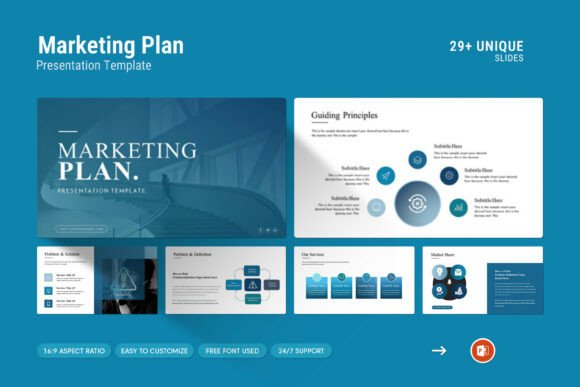
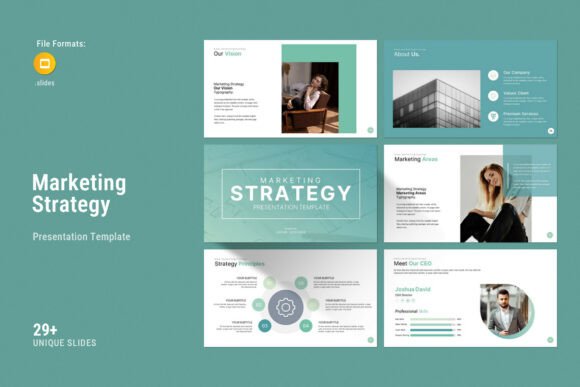
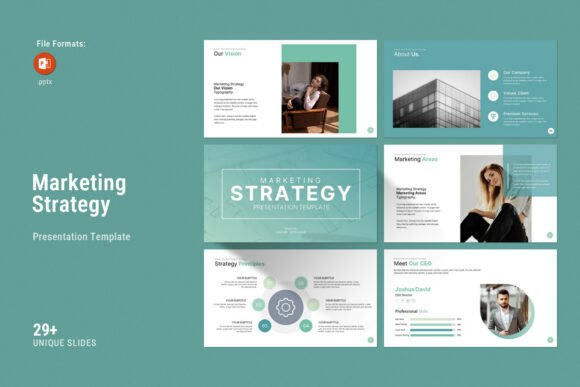
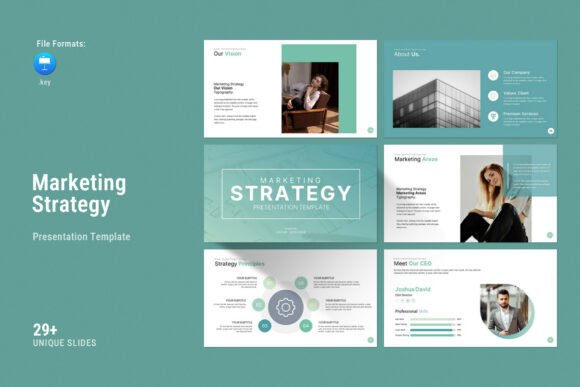
Presenting complex data and strategic roadmaps requires more than just good public speaking; it demands a visual framework that guides your audience through the narrative without distraction. The Marketing Strategy Keynote Template serves as this essential scaffold for modern professionals. It is designed with a contemporary aesthetic that balances creative photo layouts with structured infographics, tables, and diagrams. This balance is critical because marketing presentations often suffer from being either too text-heavy or overly decorative. This template bridges that gap by offering a clean, professional personality that lets your content take center stage while maintaining high visual engagement.
The visual character of this deck leans towards minimalism with purposeful accents. It avoids the cluttered look of legacy corporate slides, opting instead for ample whitespace and strong typographic hierarchy. This style signals confidence and clarity, traits that are essential when pitching to stakeholders or clients. Whether you are a brand strategist outlining a quarterly roadmap or a small business owner seeking investment, the template’s design language communicates professionalism before you even speak your first word. It functions as a versatile canvas suitable for digital screens in boardrooms or printed handouts for conferences.
Typography and Visual Hierarchy in Strategic Decks
While the Marketing Strategy Keynote Template provides the layout structure, the typography you choose within it dictates readability and tone. A common mistake in strategy presentations is treating all text equally. However, effective modern typography relies on distinct roles for different typefaces. When customizing this template, consider how font choices influence brand perception and audience retention.
For headlines and major section breaks, a bold sans serif font often works best. These typefaces convey stability and forward momentum, which aligns perfectly with growth strategies and marketing plans. They are highly legible at large sizes and create clear entry points for the viewer's eye. Conversely, body copy requires a typeface optimized for reading comfort. While many designers default to the same sans serif used in headers, introducing a complementary serif font for longer explanations can improve readability and add a layer of editorial sophistication. This contrast helps distinguish between "signposting" (headers) and "storytelling" (body text).
If your marketing strategy involves lifestyle branding or personal storytelling, you might be tempted to use a script font or handwritten font. Use these sparingly. In a strategic context, they should only appear as accent elements—perhaps for a pull quote or a signature element—to humanize the data. Overusing decorative fonts in tables or diagrams destroys the utility of the infographic slides included in this template. Remember, the goal is clarity. A premium font choice enhances the message; a poor choice forces the audience to decode the text rather than absorb the strategy.
Evaluating Font Pairings for Brand Consistency
Selecting the right combination of typefaces is an exercise in restraint. When working with the Master Slides Layout included in this file, test your pairings across multiple slide types before finalizing. A robust pairing typically involves one display font for impact and one neutral workhorse for data. For example, a geometric sans serif paired with a humanist sans serif creates a cohesive yet varied rhythm. Avoid pairing two serifs or two scripts, as this creates visual conflict.
Consider the commercial implications as well. Since this template uses free fonts by default, it ensures accessibility. However, if you are presenting on behalf of a major corporation or publishing a paid course, verify the licensing of any replacement fonts you introduce. Using a commercial font without proper licensing can expose you or your client to legal risks. Always check whether a typeface allows for both desktop editing and web embedding if you plan to share the presentation digitally.
Practical Applications Across Creative Projects
The versatility of the Marketing Strategy Keynote Template extends beyond traditional boardroom pitches. Its 30-slide structure and 16:9 Full HD ratio make it adaptable for various creative and commercial projects where visual communication is key.
- Brand Identity Workshops: Use the vector icons and color-change features to visualize brand guidelines. The clean layouts allow you to showcase logo variations and color palettes without competing backgrounds.
- Editorial Design Pitches: Publishers and bloggers can utilize the creative photo layouts to present content calendars or media kits. The grid systems inherent in the template mirror modern web design standards.
- Digital Product Launches: Entrepreneurs can leverage the diagram slides to explain user flows or product ecosystems. The drag-and-drop picture placeholders make it easy to swap generic stock images for actual product screenshots.
- Educational Content: Coaches and educators can repurpose the infographic slides for e-learning modules. The structured approach helps break down complex marketing theories into digestible visual chunks.
In each of these scenarios, the template acts as a system of design assets rather than just a collection of slides. The Master Slides ensure that changes made to fonts, colors, or logos propagate instantly across the entire deck. This consistency is vital for brand identity. When your audience sees uniform styling from the title slide to the closing Q&A, it reinforces trust and attention to detail.
Optimizing Readability and Engagement
Even the most beautiful template fails if the audience cannot read the content. When customizing the Marketing Strategy Keynote Template, prioritize function over form. Ensure sufficient contrast between text and background colors. Dark grey text on a white or light grey background remains the gold standard for projected presentations, as pure black on pure white can cause eye strain in dimly lit rooms.
Pay close attention to the sizing of data in tables and charts. The template includes pre-designed tables, but you must ensure the font size remains legible when projected. A minimum of 18pt for table content and 24pt for body text is a safe baseline for conference settings. For smaller screens or PDF distribution, you have more flexibility, but never sacrifice clarity for density. If a slide feels crowded, split it into two. The 30-slide count provides ample room to breathe.
Visual hierarchy also applies to non-text elements. Use the included vector icons to create anchor points on busy slides. Icons process faster than text and help guide the viewer’s gaze through the information flow. When combined with thoughtful font pairing and strategic whitespace, these elements transform a standard presentation into a compelling visual narrative.
Technical Flexibility and Support
One of the significant advantages of this specific template is its cross-platform compatibility. It works seamlessly on both Apple Keynote and Windows environments, removing friction for teams using mixed hardware. The .KEY file format preserves animations and transitions that often break when converting between PowerPoint and Keynote, ensuring your delivery matches your design intent.
The inclusion of a Help File and PDF support documentation reduces the learning curve. For designers accustomed to Adobe InDesign or Figma, Keynote offers a familiar layer-based workflow. For marketers or entrepreneurs new to design software, the drag-and-drop functionality makes customization intuitive. You do not need advanced graphic design skills to achieve a polished result; you simply need to understand your content and respect the visual system provided.
Should you encounter technical hurdles or need guidance on specific customizations, real support is available. Unlike generic template marketplaces where files are sold without aftercare, this resource connects you with skilled designers who understand the product. This level of support is invaluable when deadlines are tight and the stakes are high. Whether you are refining a logo design placement or troubleshooting export settings for social media graphics, having expert assistance ensures your final output maintains the professional standard promised by the template.
Ultimately, the Marketing Strategy Keynote Template is a tool for translation. It translates raw data and abstract ideas into a visual language that resonates with human beings. By combining robust technical features with sound design principles, it empowers creators to focus less on pixel-pushing and more on crafting a message that drives action. Treat the template as a foundation, apply thoughtful typography, and let your strategy shine through a lens of professional clarity.